Astroneer Server: Co-op on a Dedicated World (2026 Guide)
Exploring planets, terraforming, automating and building bases with friends: Astroneer is a space exploration game that's best enjoyed together. But if you want truly persistent shared progress — bases that stay put, resources that pile up, a world that waits for you — a dedicated server beats a session hosted on a friend's machine every time. This 2026 guide covers everything about Astroneer hosting: co-op vs dedicated, the power you need, step-by-step setup and the settings that matter.
Player-hosted co-op or dedicated server?
Player-hosted
Easy to start, but the session only exists while the host is online — the moment they log off, exploration stops for everyone.
Performance tied to their PC: slowdowns as bases and automation grow, latency for everyone else.
No shared progress without them, and fragile saves stored on a single machine.
Dedicated server
Your world runs 24/7: everyone joins and progresses whenever they want, and bases and resources stay in place.
Stable performance and automatic backups.
Full control over the world and its rules.
How much RAM for an Astroneer server?
Group of 2 to 4 players: 4 GB of RAM and 2 vCPUs are enough for smooth exploration.
Automated bases and large setups: keep some headroom — automation and vehicles put weight on the simulation.
On Game-Servers, the Astroneer Pro plan (4 GB) comfortably covers a crew of explorers, hosted in France.
Create your server in minutes
No bare-metal machine, no SteamCMD, no port forwarding. On Game-Servers, everything happens in the configurator:
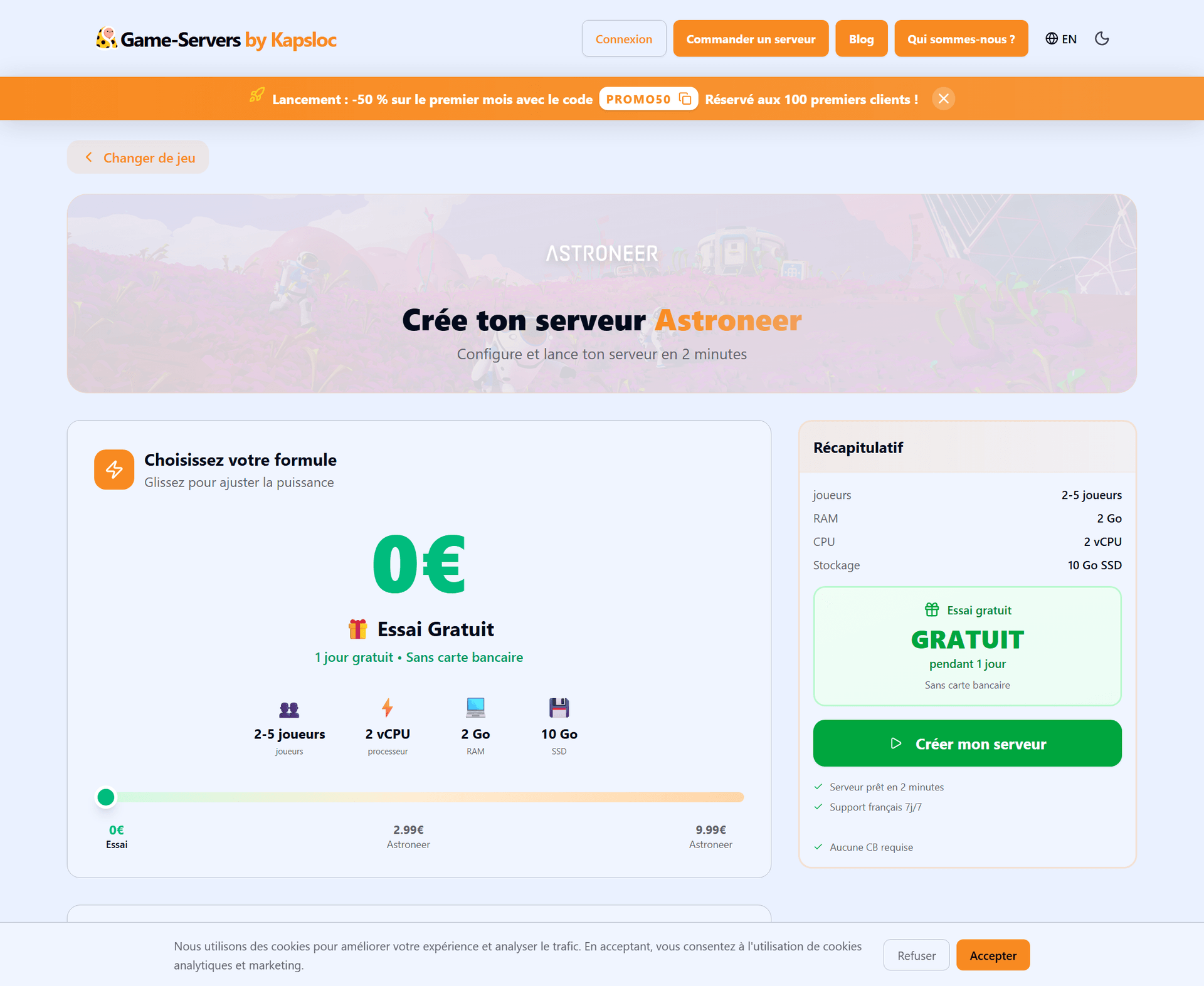
Pick your plan and the power to match the size of your group.
Select your region — hosted in France, with live ping measurement.
Name your server and launch: online in under two minutes.
You can start with a free trial to test your world with friends before committing.
The settings that matter
Name and password to keep the world private or open it up to your community.
Player count based on your plan.
FTP file access for full control.
Automatic backups and updates
Your bases and progress represent hours of playtime: automatic backups protect them around the clock. And the update pipeline is fully automatic — as soon as a new version of Astroneer drops, your server follows without you lifting a finger, and your crew reconnects as usual.
Inviting your friends
Your friends join the server through the connection address in your control panel, anytime. No need to leave a PC running: your space world is always waiting for you.
FAQ
Where are the servers hosted?
In France. Ping is measured live in the configurator before your server is created.
Can I try before I pay?
Yes: a free trial lets you spin up a real Astroneer server and test it with your friends.
What happens when the game gets updated?
Nothing to do on your end: the update is deployed automatically and your server stays on the latest version.
Can I cancel anytime?
Yes, the monthly plan has no commitment. 3- and 6-month terms come with discounted rates.
Ready to explore the stars?
A persistent world, hosted in France, always up to date and ready in two minutes: that's all you need to explore and terraform with your friends, with zero technical hassle.